Mentions
Every mention in one feed
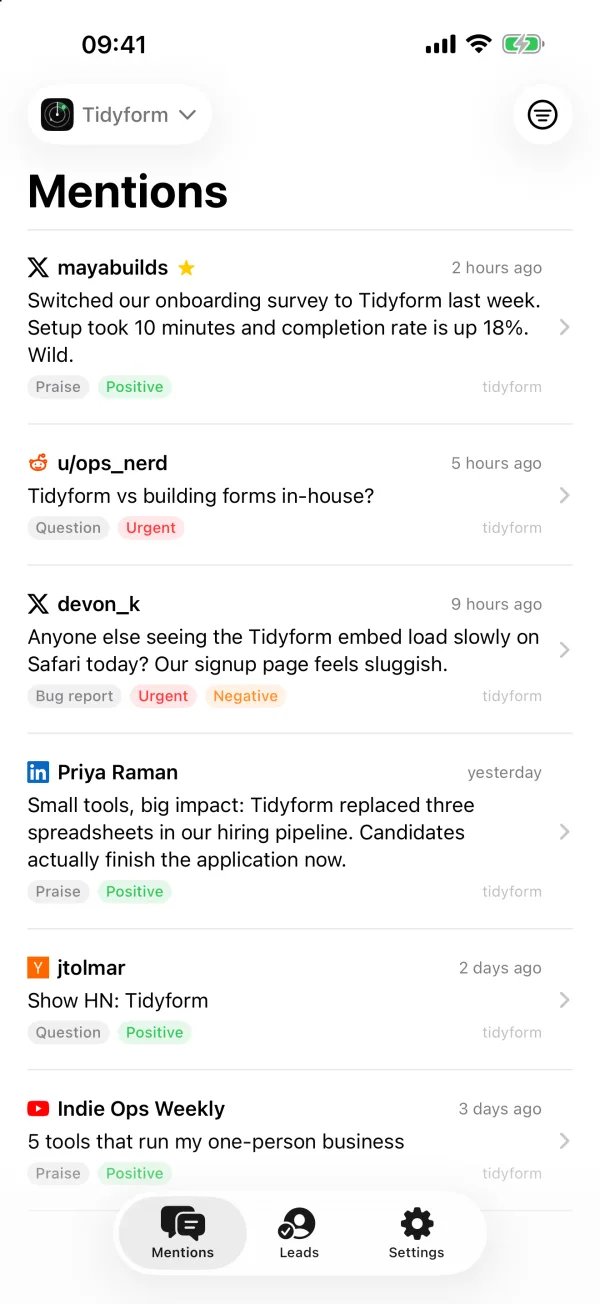
Posts from X, Reddit, LinkedIn, YouTube, Hacker News and the web, sorted by Claude into praise, complaints, questions and buying intent, with urgent ones flagged.
Overhear for iPhone
The native iPhone app puts your mentions and leads in your pocket. Skim the feed, mark what is related, draft a reply and get a push when something urgent comes in. Keywords, cadence and credits stay on the dashboard.
Free with every Overhear account. iPhone and iPad, iOS 17 or later.
What it does
Mentions
Posts from X, Reddit, LinkedIn, YouTube, Hacker News and the web, sorted by Claude into praise, complaints, questions and buying intent, with urgent ones flagged.
Leads
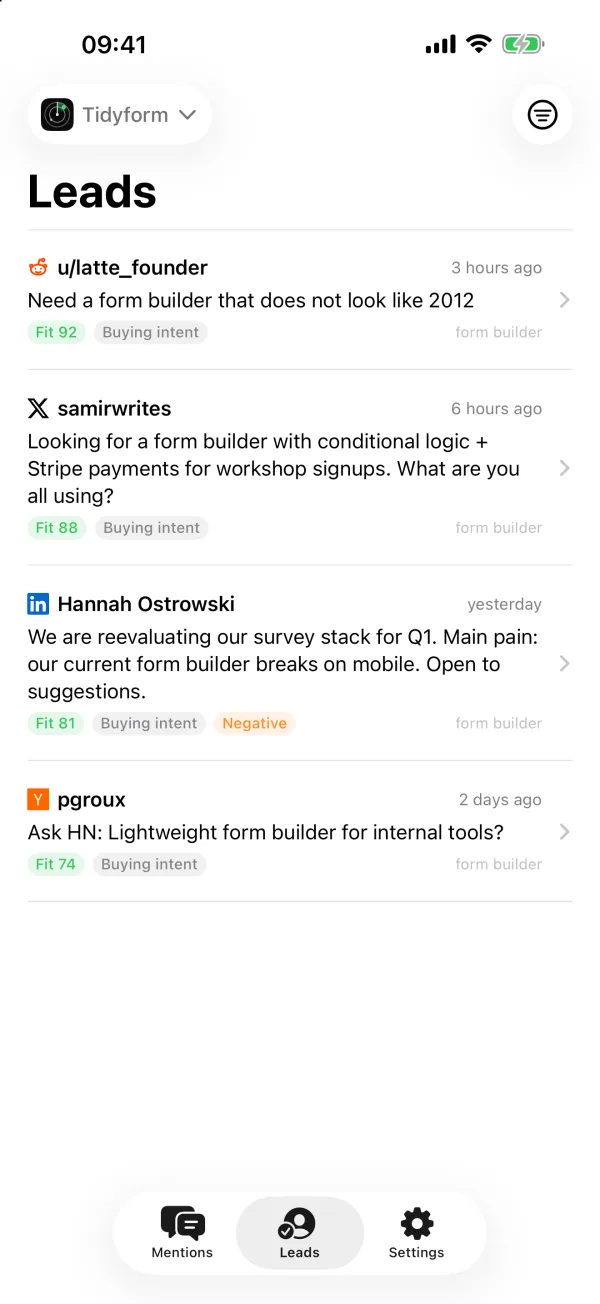
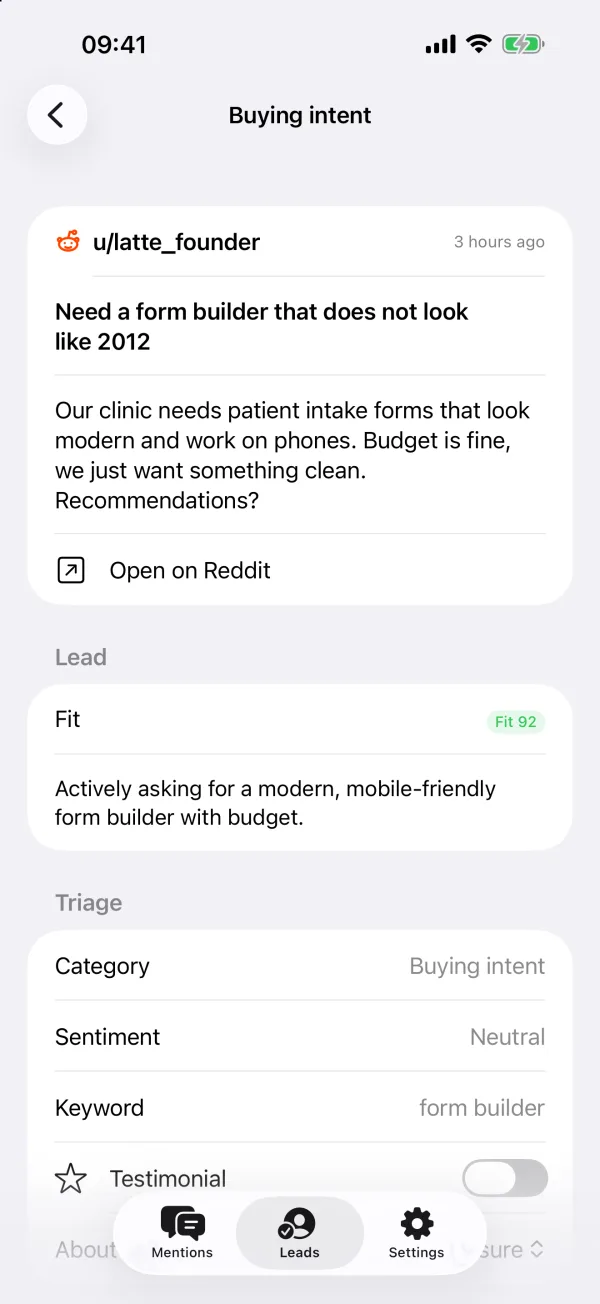
People asking for what you build, scored against your buyer profile. Open the post, check the fit, decide whether to answer.
Triage
Mark a post Related or Not related and the next scan learns from it, the same as on the dashboard. Save the good ones as testimonials.
Replies
Draft a reply from the post, edit it, copy it into the thread and mark the mention replied. Drafts use credits, like on the web.
Alerts
The mentions an email alert would carry arrive as a push on every member's iPhone, switchable per project. A tap opens the post.
Privacy
Sign in with your Overhear account. The app talks to the same EU servers as the dashboard, with no trackers.
Yes. The app is free to download and use with any Overhear account. Scans and reply drafts use credits from your workspace, the same as on the web; browsing the feed and marking posts costs nothing.
iPhone and iPad with iOS 17 or later. It is a native SwiftUI app, not a web view.
Yes. The mentions an email alert would carry are pushed to every member's devices as they are found, and each project has its own switch. Tapping a notification opens the post.
No. Keywords, scan cadence, credits and alert settings live on the web dashboard, and the app's Settings link there. The app is for reading, triaging and replying.
Not yet. The App Store build signs in to overhear.dev only.
No. The dashboard works in any mobile browser, including Chrome on Android.
Settings in the app links to account deletion on the web, which deletes your user and the workspaces only you belong to.
Sign in with your Overhear account. No account yet? Start on the web with a domain or a keyword, then pick up the feed on your phone.